 Kartā
Kartā
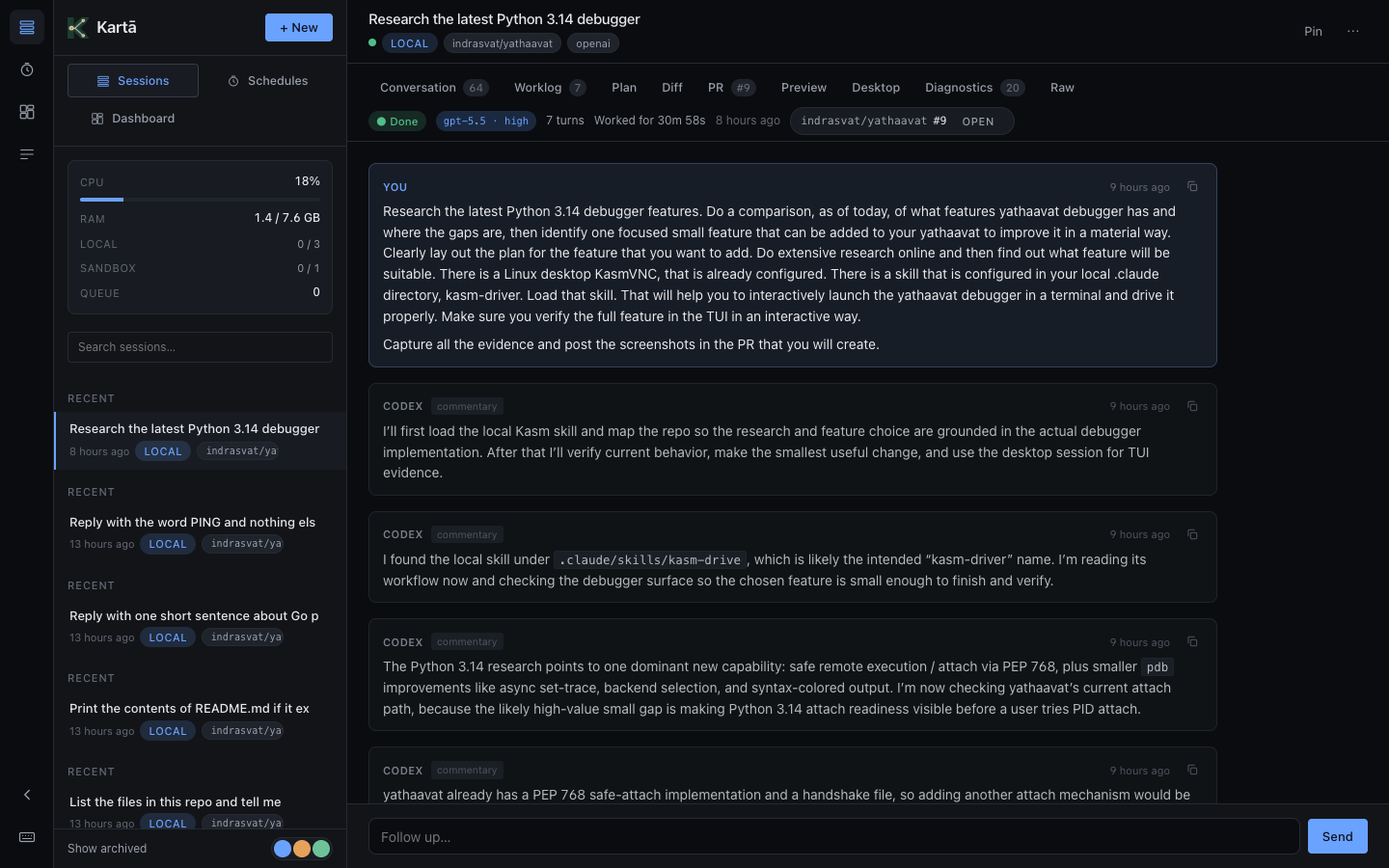
live worklog
Watch the agent think.
Every command, every file change, every reasoning step, streamed live as the agent works. Each command carries its exit code and opens to its full output. Vibe coding, with receipts.
self-hosted · for solo developers
Your coding agent runs on a server you own, not a vendor's cloud. Kartā turns the ChatGPT plan you already pay for into a private agent behind your tailnet. ~$10/mo for the box. Your repos stay on your disk. Every session sandboxed.
why bother
The hosted tools (Devin, zo.computer, Cursor's background agents) are real products. Pick one if you want zero setup and someone else minding uptime. Pick Kartā if any of these three matter.
01 · privacy
The cockpit answers only on your tailnet, never a public port; service credentials are encrypted at rest. Your repos live on a server you own, never a vendor's database or a sandbox in someone else's data center.
02 · the unlock
Kartā runs on the ChatGPT plan you already pay for; every plan now includes Codex, and Plus ($20) is where daily use starts. No second AI subscription, no API bill. The box runs ~$10/mo on an 8 GB VPS (RackNerd, billed yearly; what Kartā itself runs on), from ~€9/mo on Hetzner, or ~$55–70/mo on AWS once its starter credits run out.
03 · ownership
One command stops everything; your sessions and audit log stay on your disk, yours to walk away with any time. No SaaS contract, no hosted tenant to migrate out of, no "we're sunsetting that feature" email on a Tuesday.
what it does
Every panel earns its pixels. Each one is a reason the hosted tools didn't quite fit.
Every command, every file change, every reasoning step, streamed live as the agent works. Each command carries its exit code and opens to its full output. Vibe coding, with receipts.
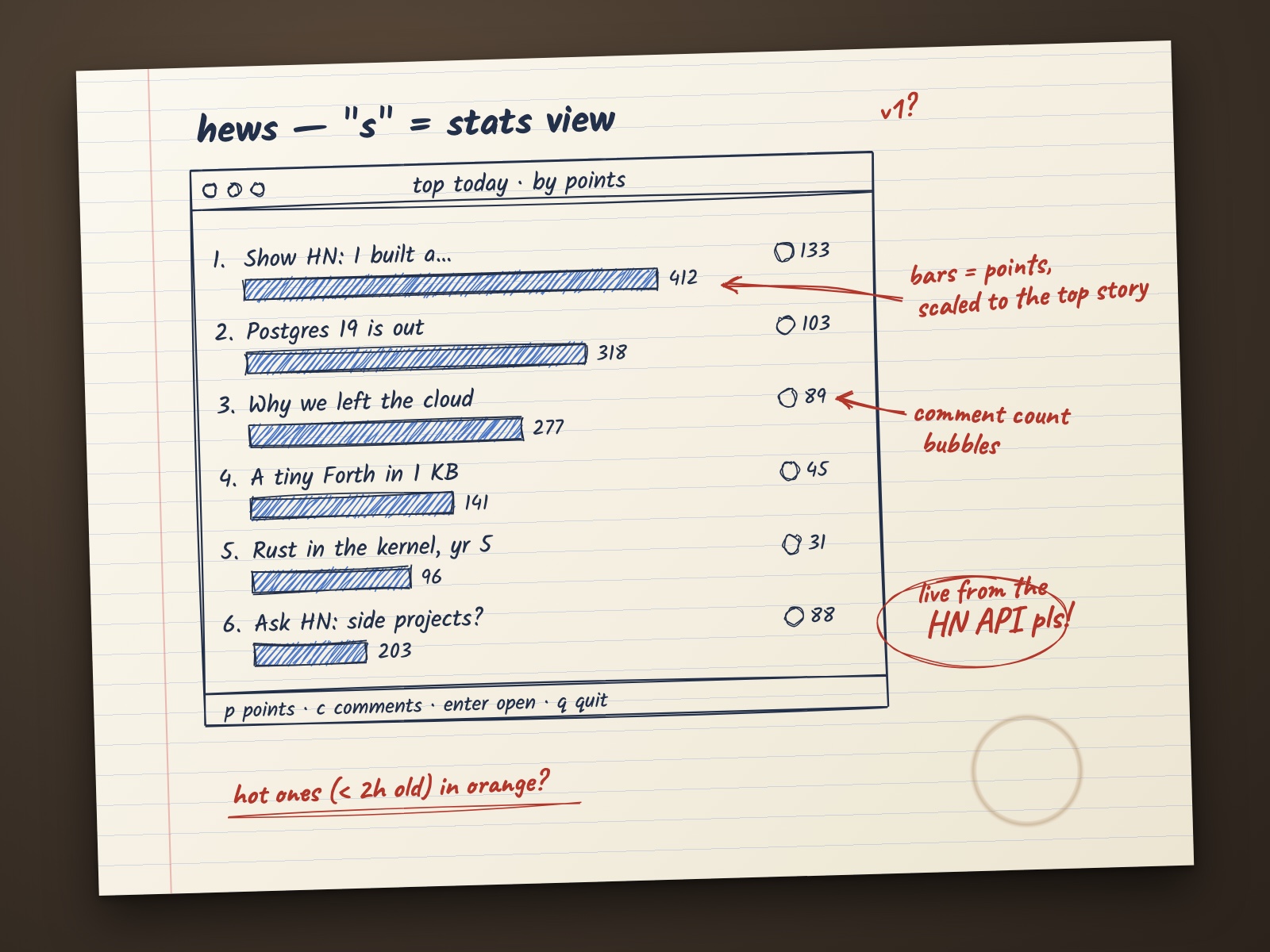
 you · a photo
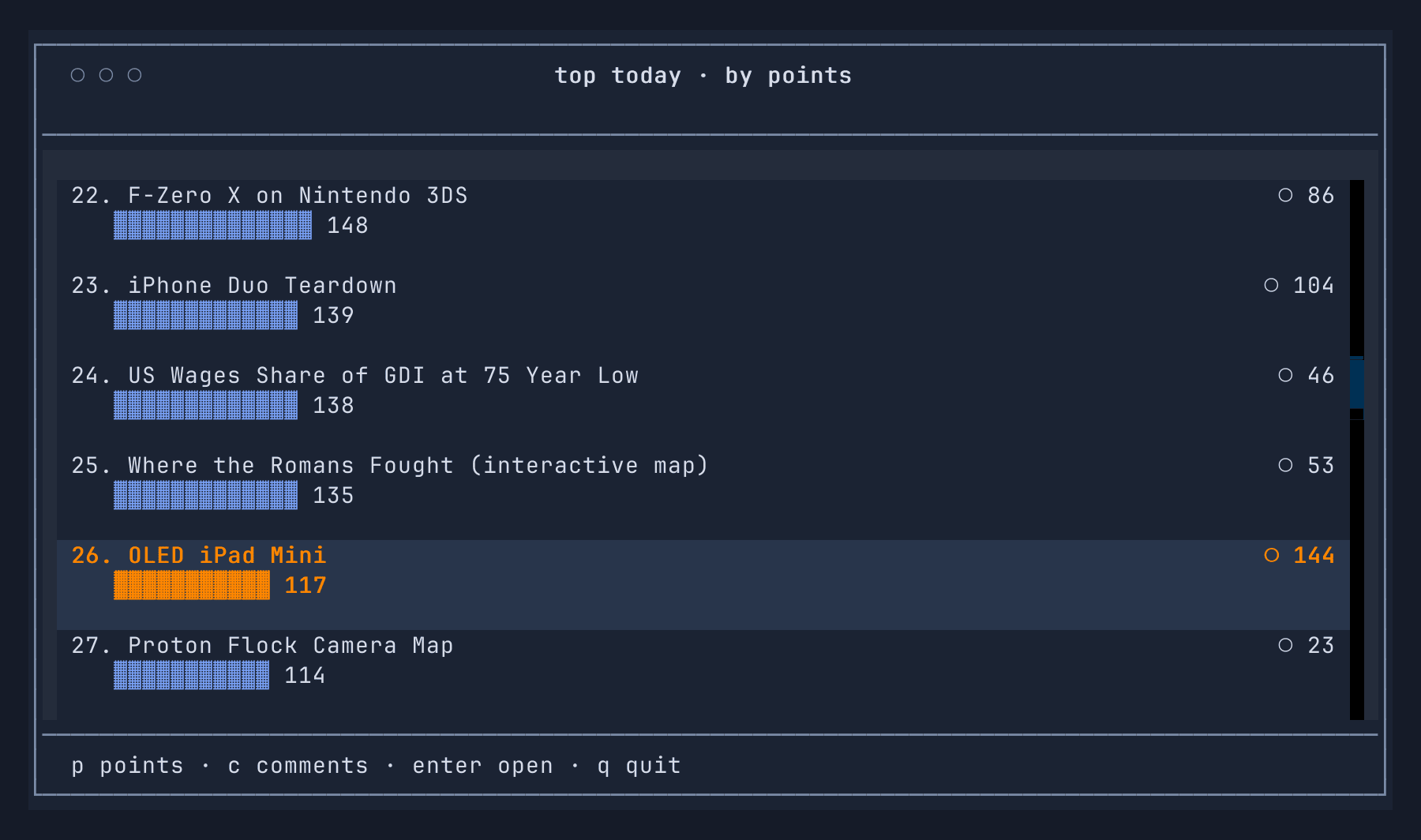
codex · its own screenshot
you · a photo
codex · its own screenshot
Attach a photo, a screenshot, a log or a PDF to any message. The agent sees the image and opens the file. Here, a napkin sketch became a working s screen in a real repo, with 8 tests, checked against live Hacker News data. Codex took the screenshot on the right itself to compare with the sketch before it replied.
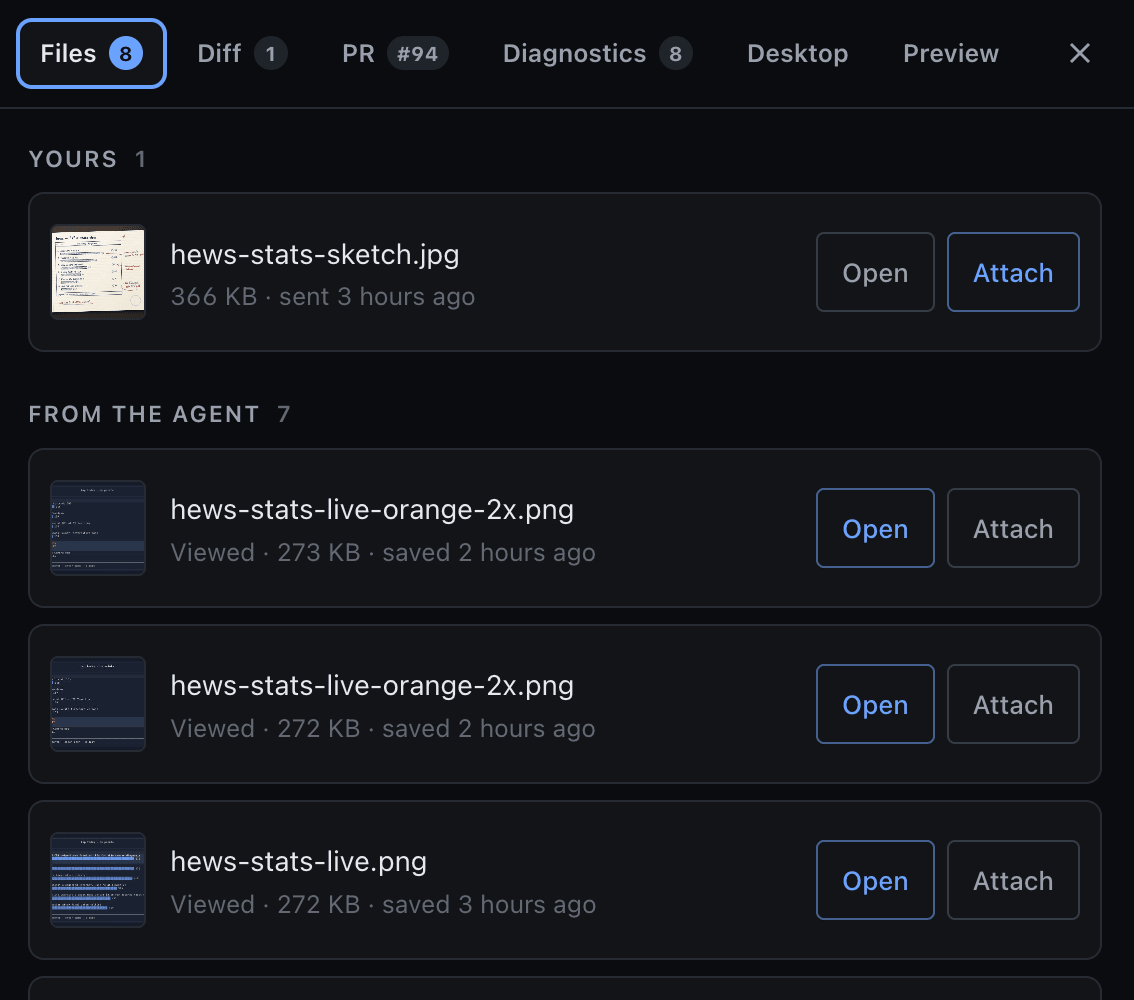
The Files tab keeps what you sent and what the agent produced: images it generated, screenshots it took, files it wrote. Open an image full-screen and pinch to zoom, or Attach it straight into your next message.
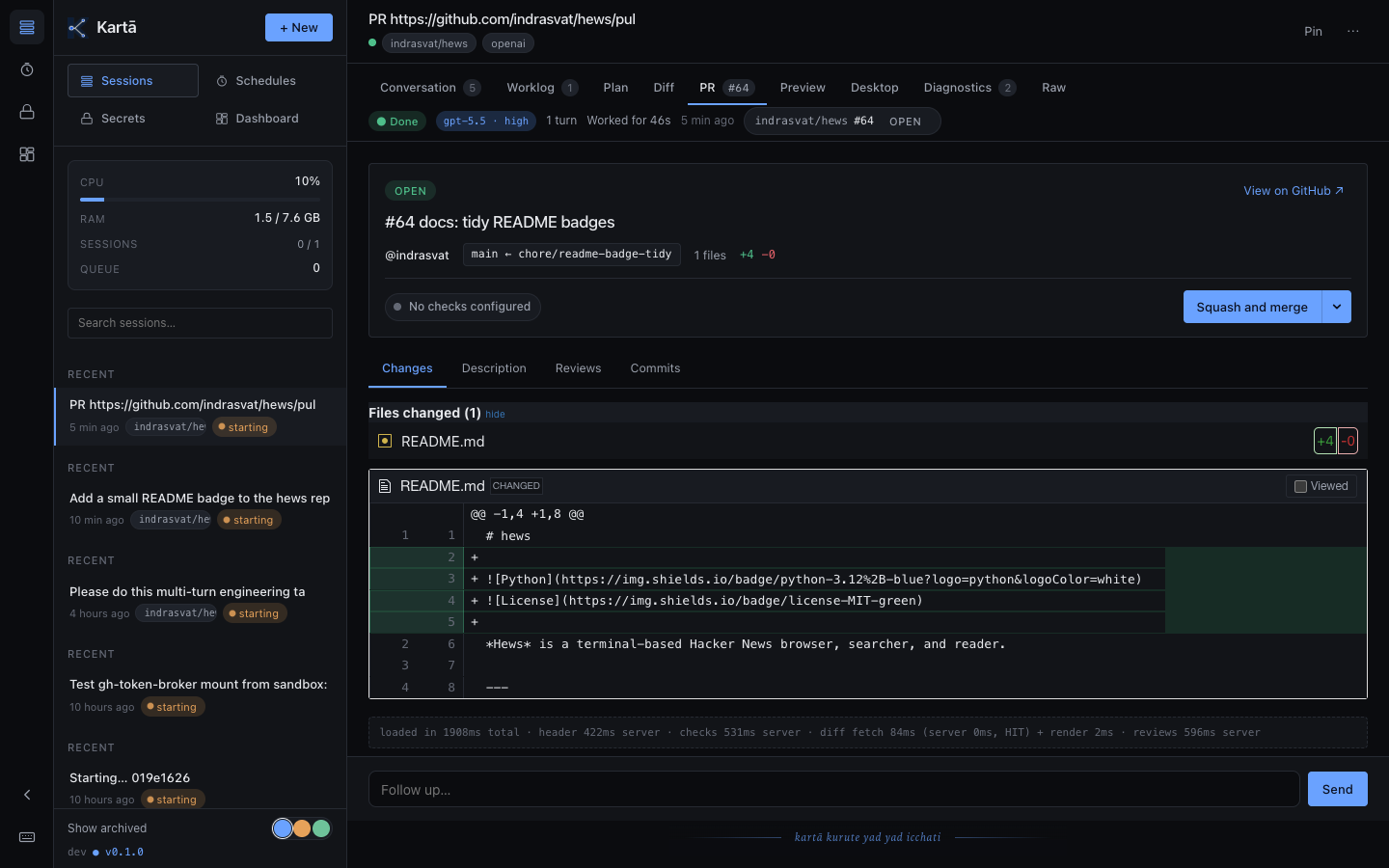
Click Open PR. The diff, bot reviews, and checks appear in the same page. Click Squash and merge. Done, no tab-hopping to GitHub mid-session. The PR above is the napkin sketch, shipped.
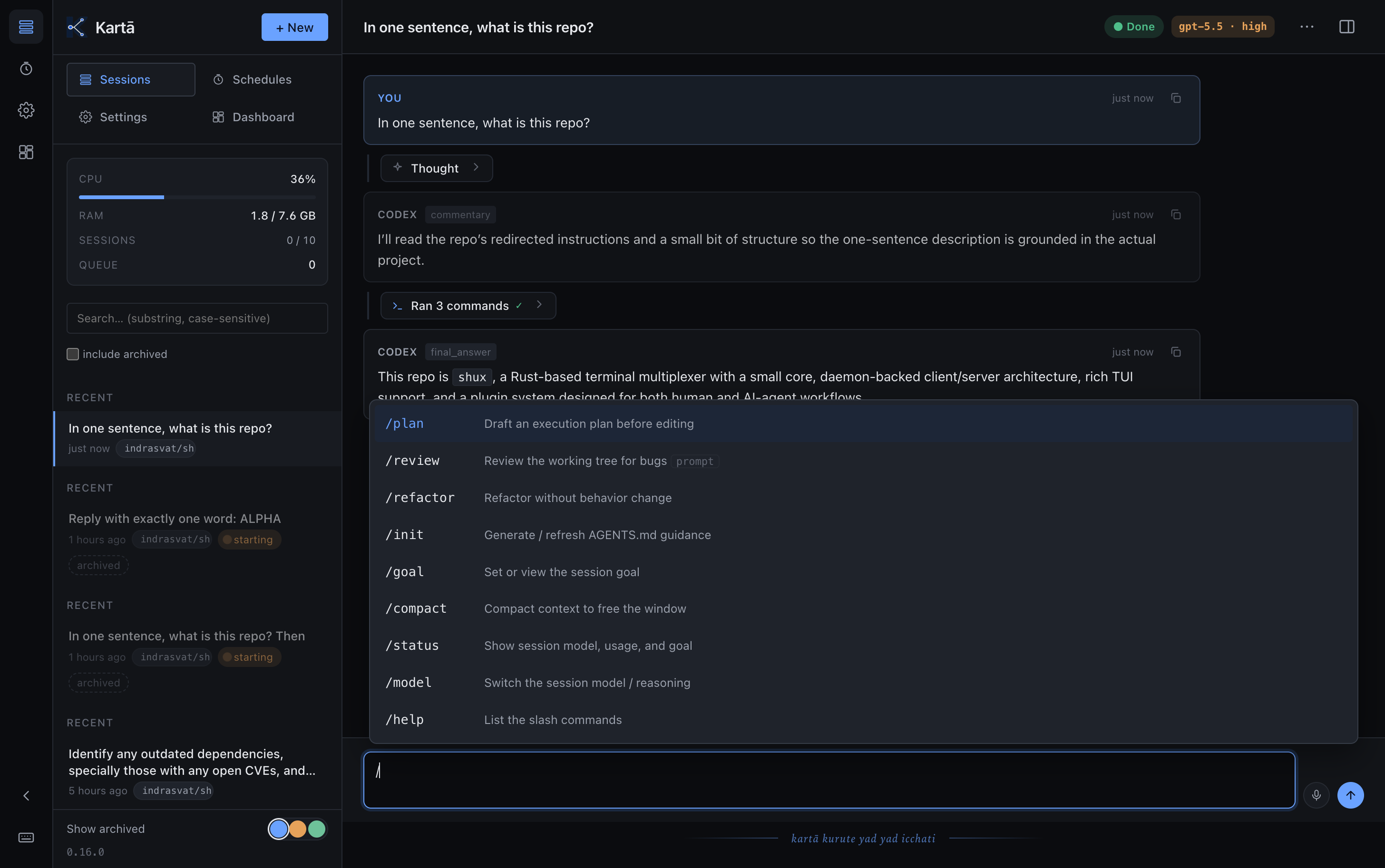
A filterable command menu, right in the composer. /plan and /review drop in a prompt template; /goal, /compact, /status, and /fork act on the live session. /fork branches it into a parallel session sharing the full history, so you can try another approach without disturbing the original. Nothing fires by accident: a command only applies on Enter or tap, so /review fix the flaky test just sends as a normal message.
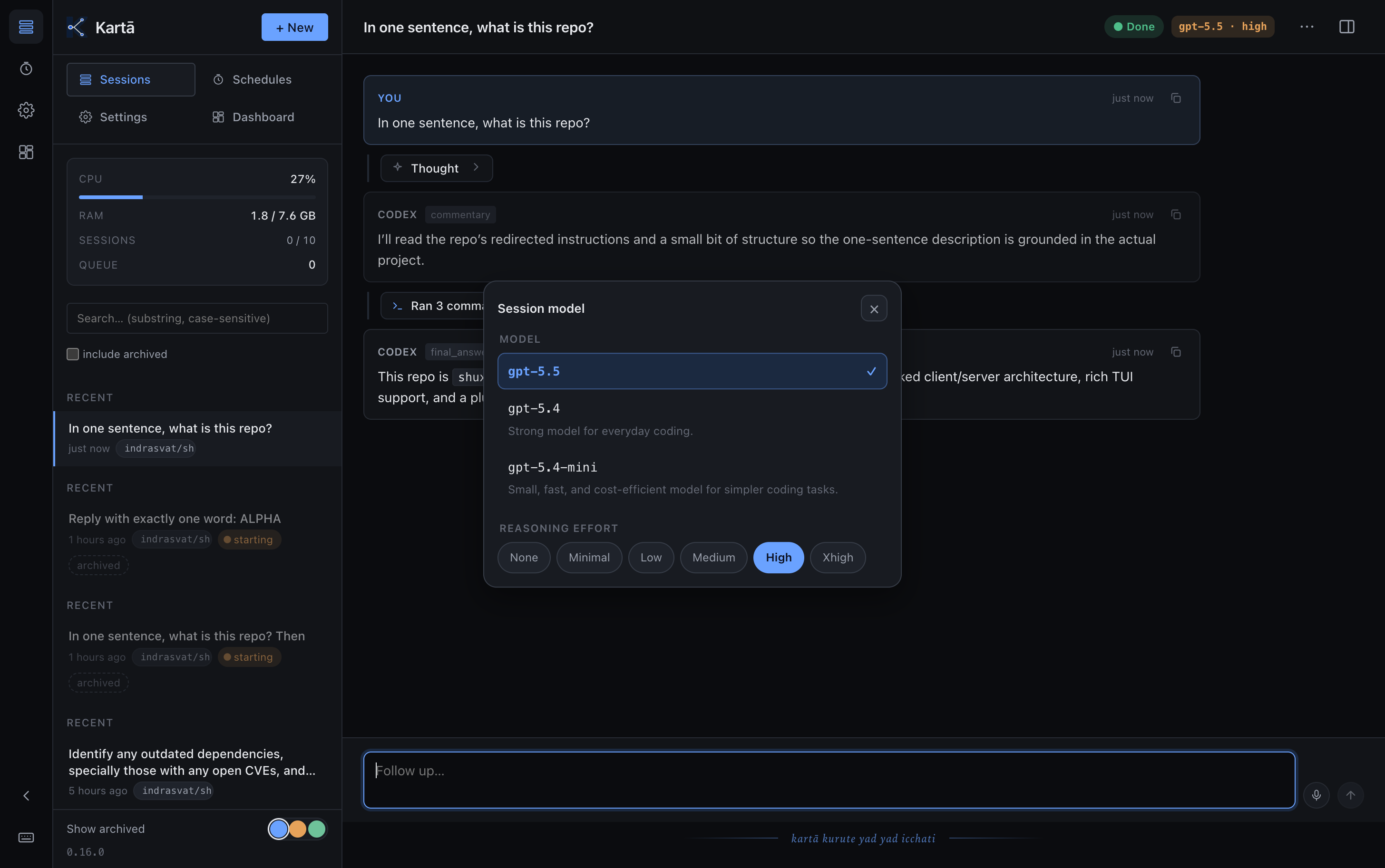
/model swaps the model and reasoning effort for the very next turn: reach for a heavier model on a thorny bug, drop to a faster one for routine edits. Sessions start on gpt-6.1-sol at high effort, with fast and careful profiles one tap away. No context lost, no new session: the whole thread carries across the switch.
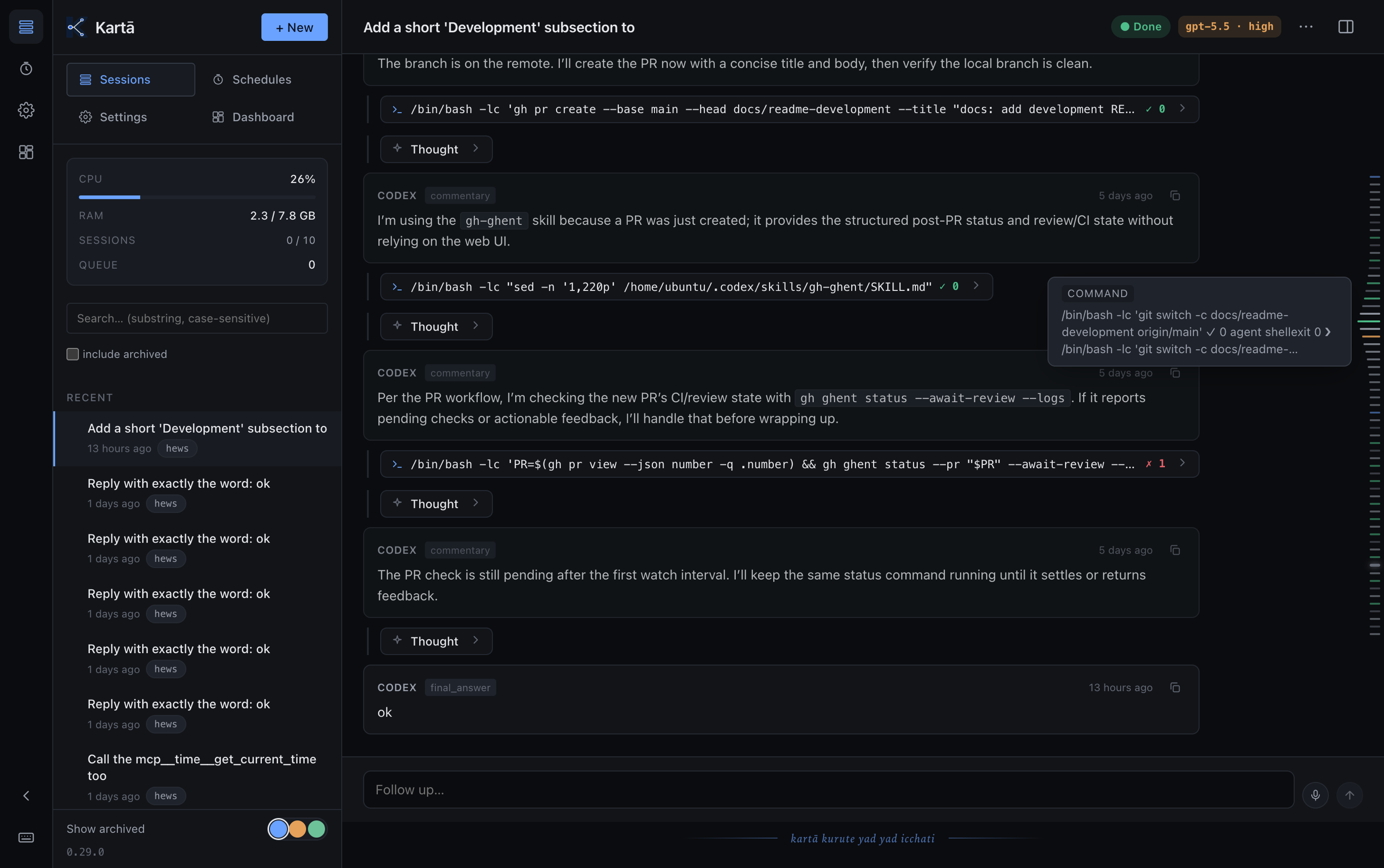
Every step gets a typed dash on a rail down the right edge, colour-coded by kind. Hover (or scrub, on mobile) to magnify and preview; click to jump. The rail tracks as you scroll, so a 200-message session is one flick from any point.
stories empty and the cursor pointed past it. It's guarded now, with a test; make check passes.
Wire up your own bot and talk to your sessions from Telegram. Reply to an answer, or just type: a plain message goes to the session you last talked to, and the bot tells you which. Send photos, files and voice notes. Answers come back rendered: bold, code blocks, tables as a grid. Give each session its own forum topic, and nothing gets crossed.
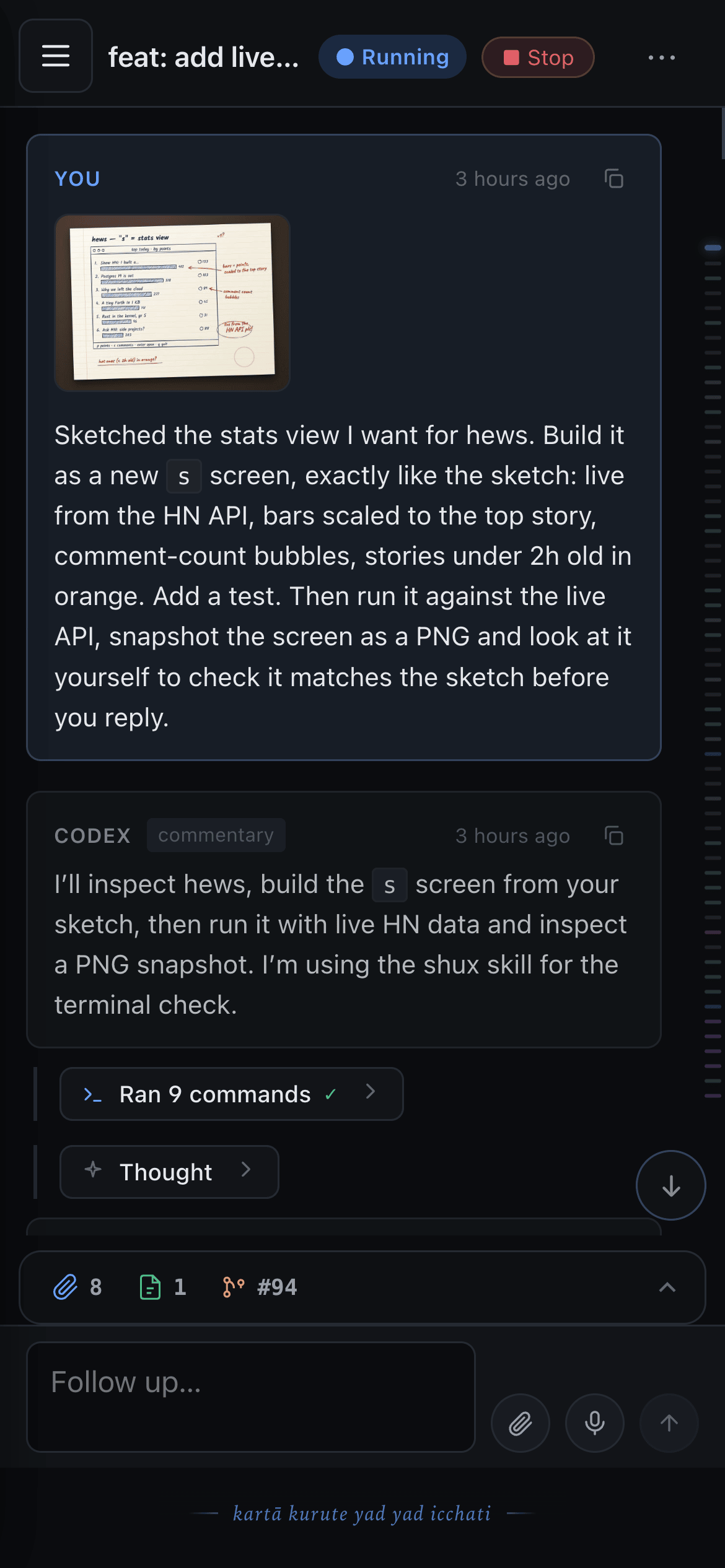
Install it to your home screen and open any session on your phone; the worklog picks up where the agent left off. Snap a photo straight into the composer. Optional push notifications reach your phone without a bot in the middle.

Dictate straight into the composer, or send a voice note through Telegram and it becomes a turn. Attach a recording and the agent gets its transcript. Long prompts are faster spoken, and transcription runs on your own server, not a third-party speech API.
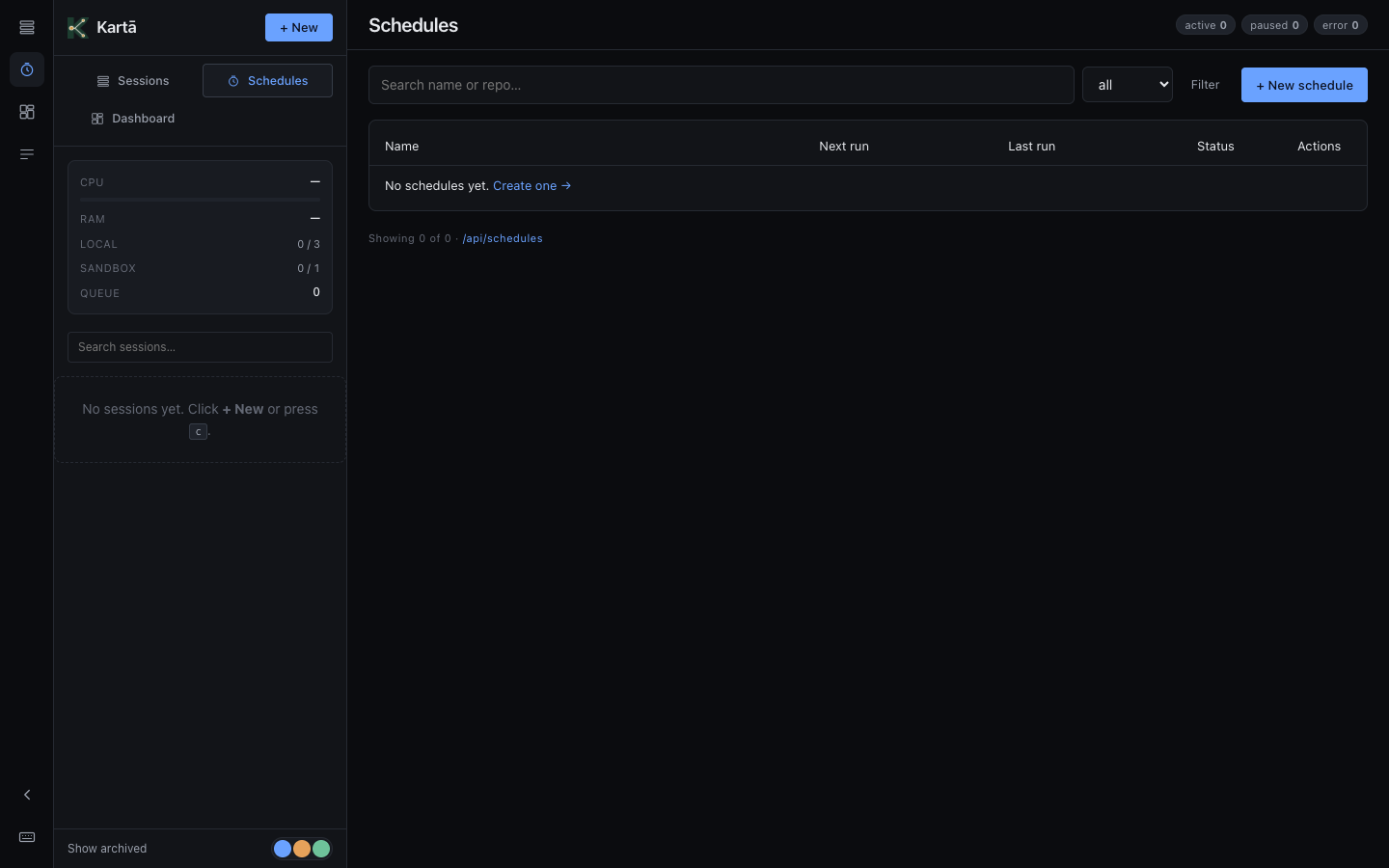
"Every Monday, open PRs for any dependency updates." Real agent sessions on cron, with overlap handling baked in, and an optional ping when one fails or finishes.
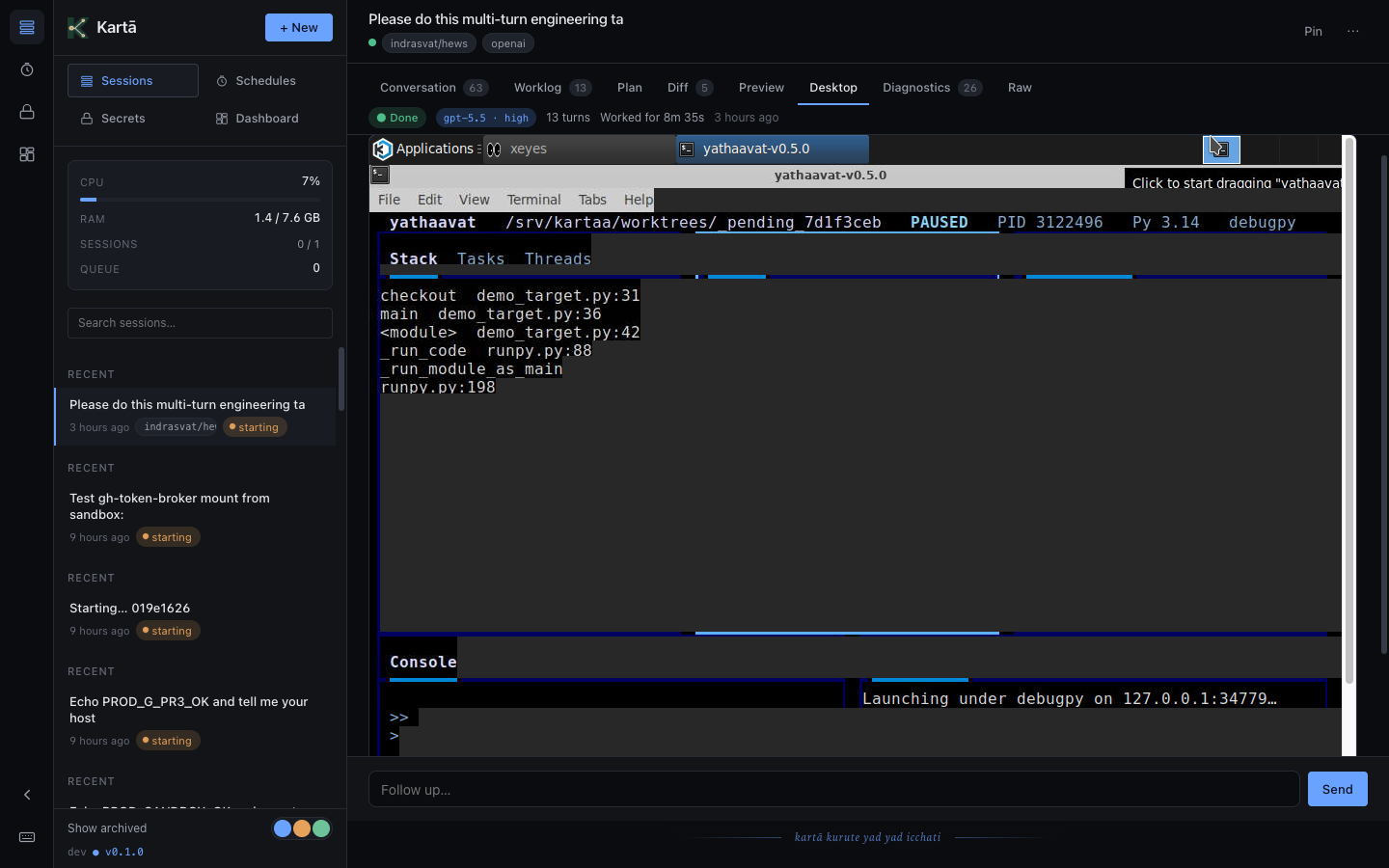
On an x86 host, open a full Linux desktop right inside any session: watch a long task run, browse in a real Chrome, or poke at the UI the agent just built. The agent can drive it too: it opens apps, runs a TUI, types, and screenshots through a scoped desktop bridge, and never touches the host.
Each session runs in its own fresh gVisor-isolated container with hard memory and CPU limits. A user-space kernel intercepts every syscall; one session can't read another's transcript; when the session ends, the container is destroyed. Always on, no toggle. A runaway script can wreck its own checkout, not your host.
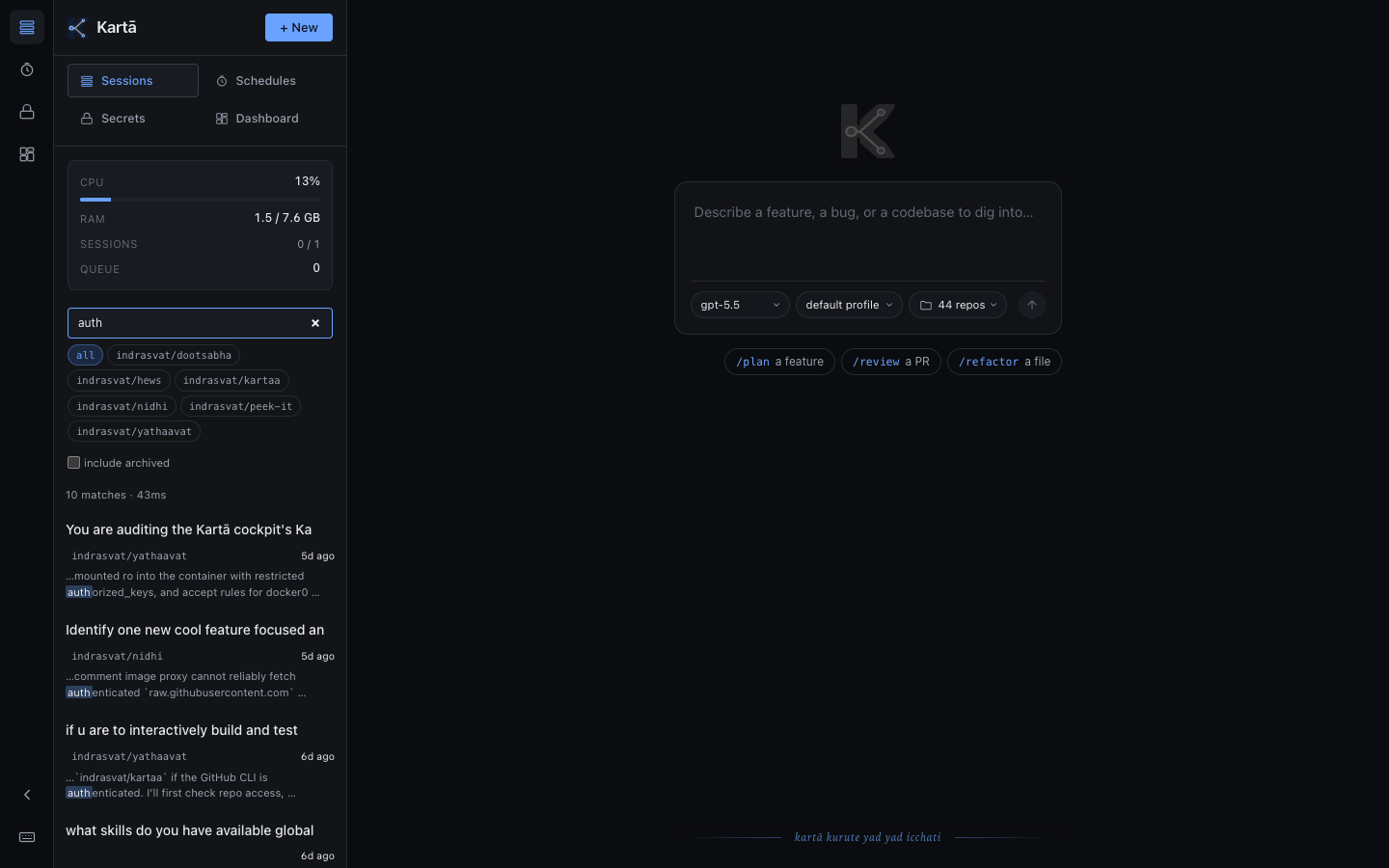
Full-text across every title, every message, every turn, straight from the sidebar or the ⌘K palette. Hit s to focus, type, see snippets with the match in context. It all runs on your box: the index and your transcripts live on your server.

Declare gh-ghent, shux, ripgrep, or any binary in /settings/tools. Saving one runs the real install and its verify check, shows the version it got, and rebuilds the image new sessions start from. The same page wires up the open agent-skills ecosystem via npx skills add. Once it's built, turn 1 already has your tools.
also in the box
None of these get a screenshot. All of them are why it feels finished.
~1 s starts
A warm pool keeps sandboxes ready, so a new session is working in about a second, not waiting on a container boot.
one-command upgrades
kartaa-update brings the cockpit, units, configs, the pinned Codex and the sandbox image to the latest release, and rolls the cockpit back if its health check fails.
secrets for sessions
Give the agent the API keys and env vars your project needs. Secrets are masked and write-only; new sessions pick them up.
dashboard
Host health, the scheduler, the warm pool, tokens by model and recent activity, live, with an hour of sparklines.
storage that cleans itself
Build caches are pruned nightly and automatically when the disk runs high; clearing old sessions' attachments is one click.
codex, pinned
Each release pins a Codex version it was tested against and upgrades the host and every sandbox to it, so an upstream release never breaks you mid-week.
how it works · 30-sec version
The only public-facing things are GitHub and OpenAI — both of which you already use. Kartā never listens on a public interface. You reach the cockpit over your tailnet, which IS the firewall.
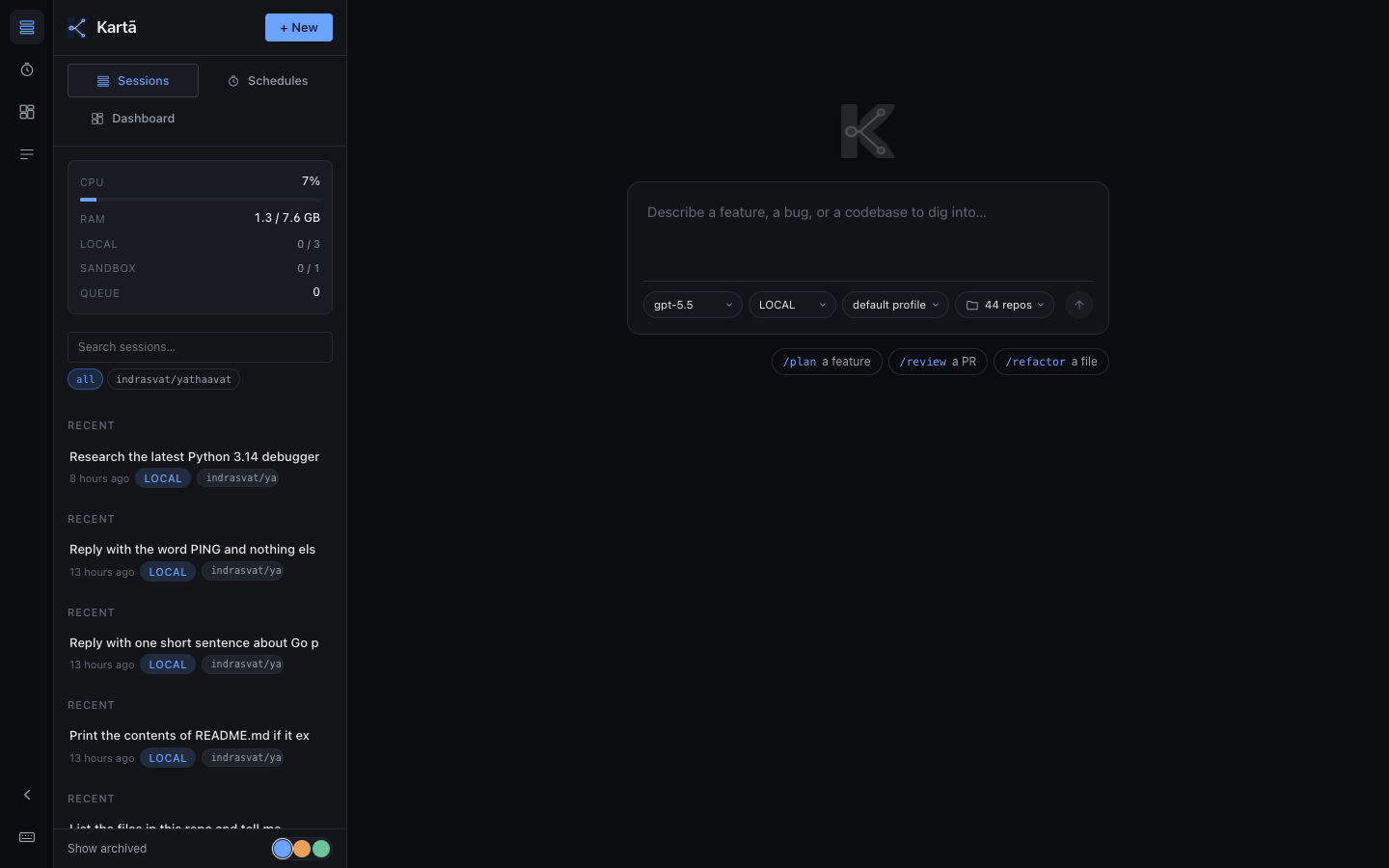
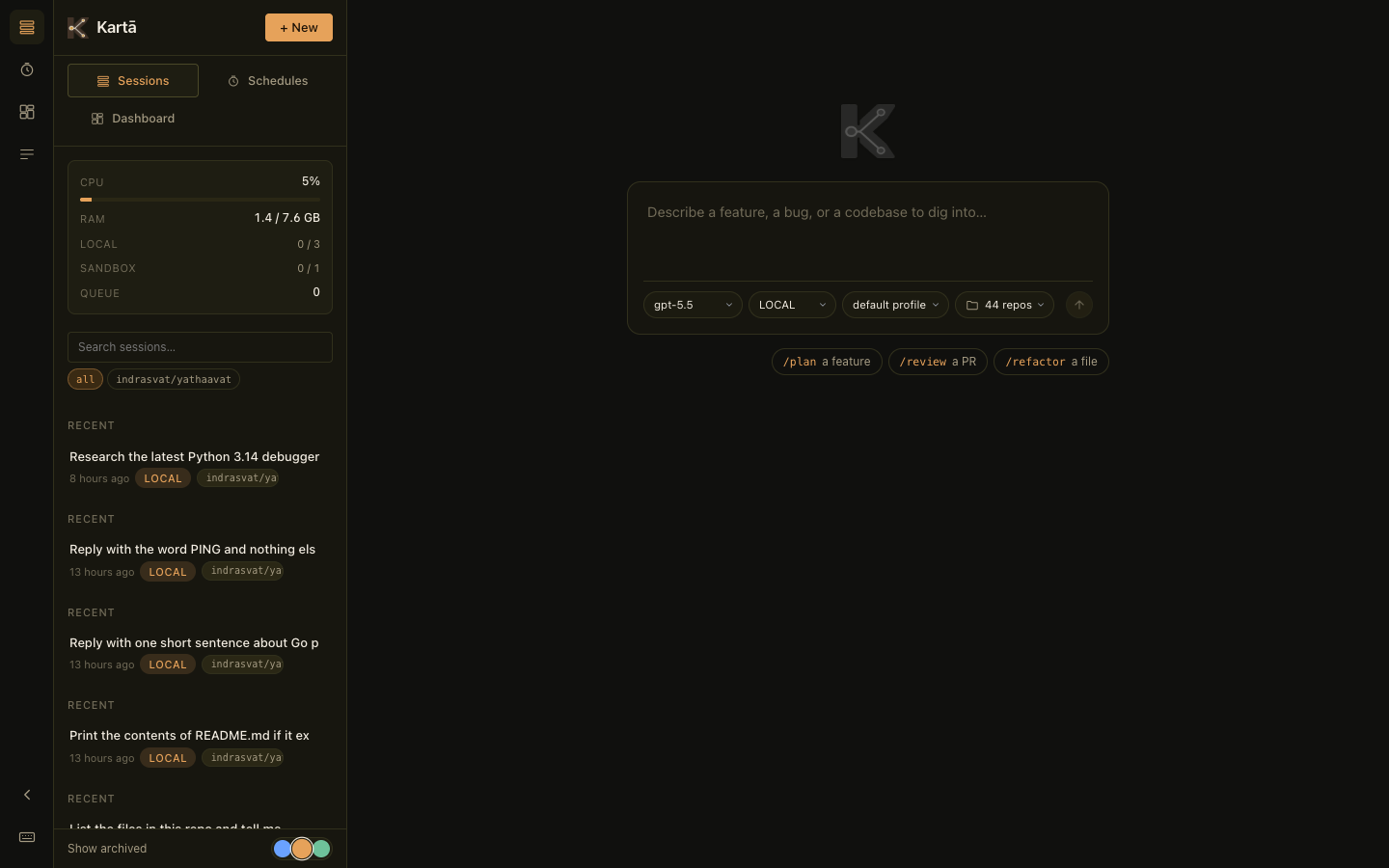
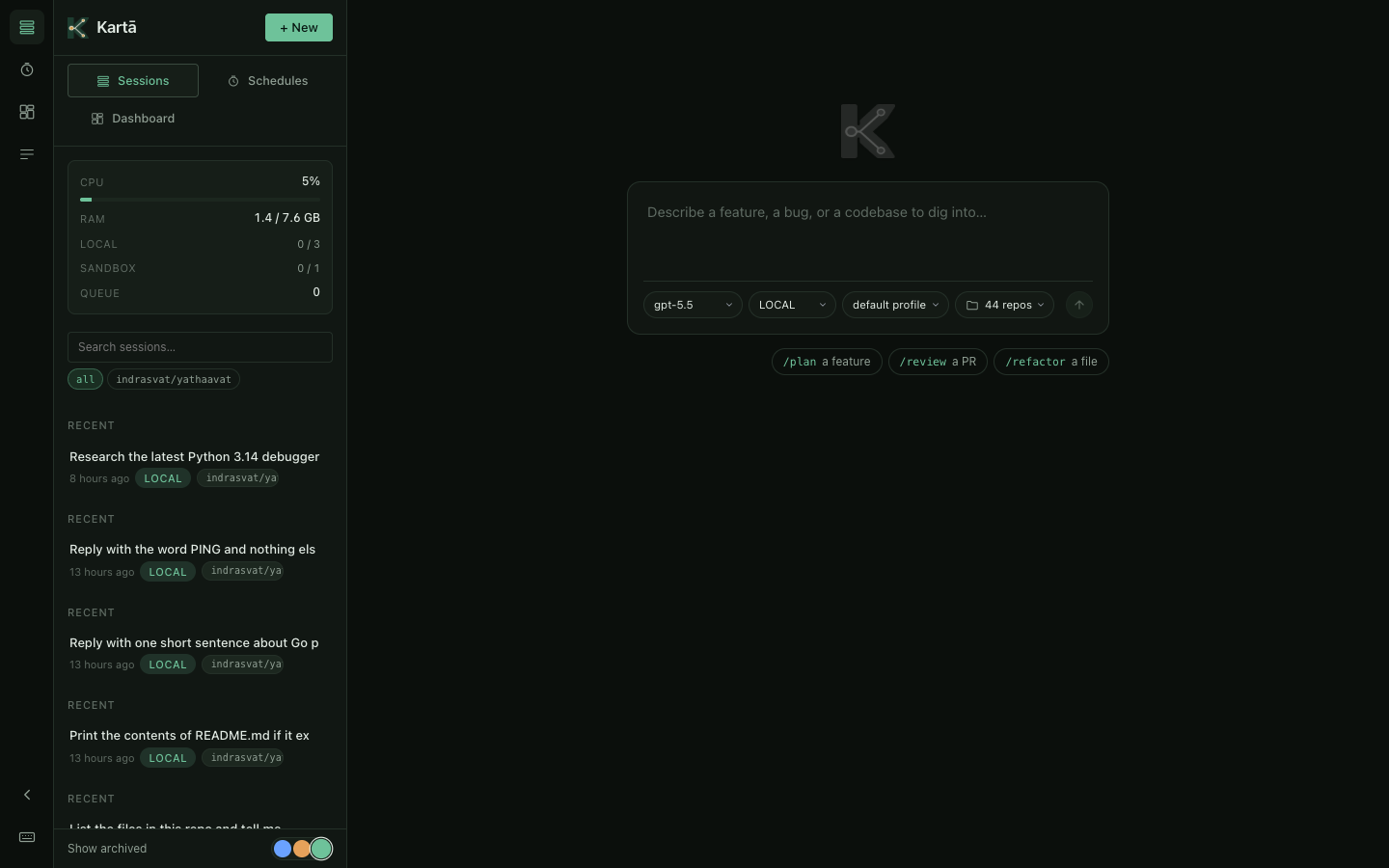
three themes, one keystroke
Three carefully-paired dark palettes. Switch via the dots in the sidebar. Saved per device.
vs the alternatives
Different bets on who manages what. An honest, qualitative cut; list prices as of October 2026, and they shift monthly.
your ChatGPT plan + ~$10/mo box
$20–200/mo · hosted
$18–200/mo · hosted computer
getting started
Spend ~10 minutes collecting credentials in your browser, ~20 watching the provisioning ladder run. The TUI walks you through every prereq inline, no separate checklist. On a VPS you already have, it's two commands from your Mac instead. See the full install guide →
The agent runs on someone else's GPU. Everything else can run on a server you own.
— that's the whole bet